UX
Pro Tips
Tools
Updates
UX Analytics and AI Support for Better Conversions
Jan 14, 2026
Introduction
UX analytics shows where users struggle. AI customer support agents and human support help you learn why, reduce hesitation, and help users convert faster.
UX Analytics Show Where Users Struggle, Instant Support Helps Users Move Forward
I’ve shipped enough product changes to recognize the reflex: you open UX analytics, spot a drop-off, and your brain goes straight to, “We need a redesign.”
Sometimes that’s true. A broken flow is a broken flow.
But a lot of the time, what you’re looking at is not a design failure. It’s a moment of hesitation. And hesitation is rarely solved by pixel-perfect layouts alone.
The healthier view is this: UX and support are two halves of one experience. UX helps people succeed without asking for help. Support helps people succeed when they do. UX analytics shows where the struggle is happening, instant support helps you learn why in users’ own words and resolves it in the moment, and the combination is what moves the needle.
UX analytics is a microscope, not a mind reader
By UX analytics, I mean tools like session replay, heat-maps, funnels, and form analytics.
UX analytics gives you behavioral truth. It can show:
Where users pause, hover, rage-click (or similar frustration signals), or backtrack
Which sections get ignored
Where people abandon a flow
Which steps take longer than expected
That’s gold. But it’s not telepathy.
Analytics tells you what happened and where. It rarely tells you why. The same behaviour can mean different things:
A long pause on pricing might be confusion, or it might be internal approval anxiety
Repeated scrolling might be “I can’t find the answer”, or “I’m sanity-checking risk”
A drop-off at checkout might be friction, or it might be “I need reassurance before I pay”
So the mistake is not using UX analytics. The mistake is treating every signal as a design bug.
Users asking questions is not UX “failing”
Some teams treat support like a shameful backup plan. “If someone contacts us, our UX is broken.”
That mindset pushes you into bad decisions: hiding contact options, bloating pages with walls of copy, or trying to pre-answer every possible edge case. You end up building a product that reads like terms and conditions.
In real life, questions are normal. Even with excellent UX, users still need:
Context: “Is this right for my setup?”
Reassurance: “What happens if this doesn’t work?”
Edge-case clarity: “Can you handle X?”
Policy answers: “Can I cancel, export, change plans?”
Good UX reduces avoidable questions. It does not erase uncertainty from the human brain.
Support is not superior, it’s complementary
Support feels powerful because it’s direct. A good answer can dissolve doubt in two sentences. A UI might need weeks of iteration to achieve the same clarity.
But support has trade-offs too:
It can be slower than self-serve UX
It can be inconsistent without a strong knowledge base
It can hide underlying UX issues if you rely on it too much
It can become expensive if every hesitation becomes a ticket
So the goal is not “push users into support”. The goal is a balanced system:
UX handles the common path brilliantly
Instant support helps at the point of hesitation
Insights from support feed back into UX and content
That’s not UX versus support. That’s a complete product experience.
The real gap: analytics lives here, questions live somewhere else
In many companies, the tools and teams are split:
Product and growth teams live in UX analytics
Support teams live in tickets and chat logs
Documentation lives in a help centre
Nobody owns the “moment of hesitation” end-to-end
So you can literally watch users struggle in session replays, yet your help arrives too late, or in another channel, or not at all.
This is why “good UX” can still underperform. The journey is not only what you merge designed, it’s what the user feels while moving through it.
Where AI customer support agents fit (properly)
This is where AI customer support agents can play a useful, very specific role, when done responsibly.
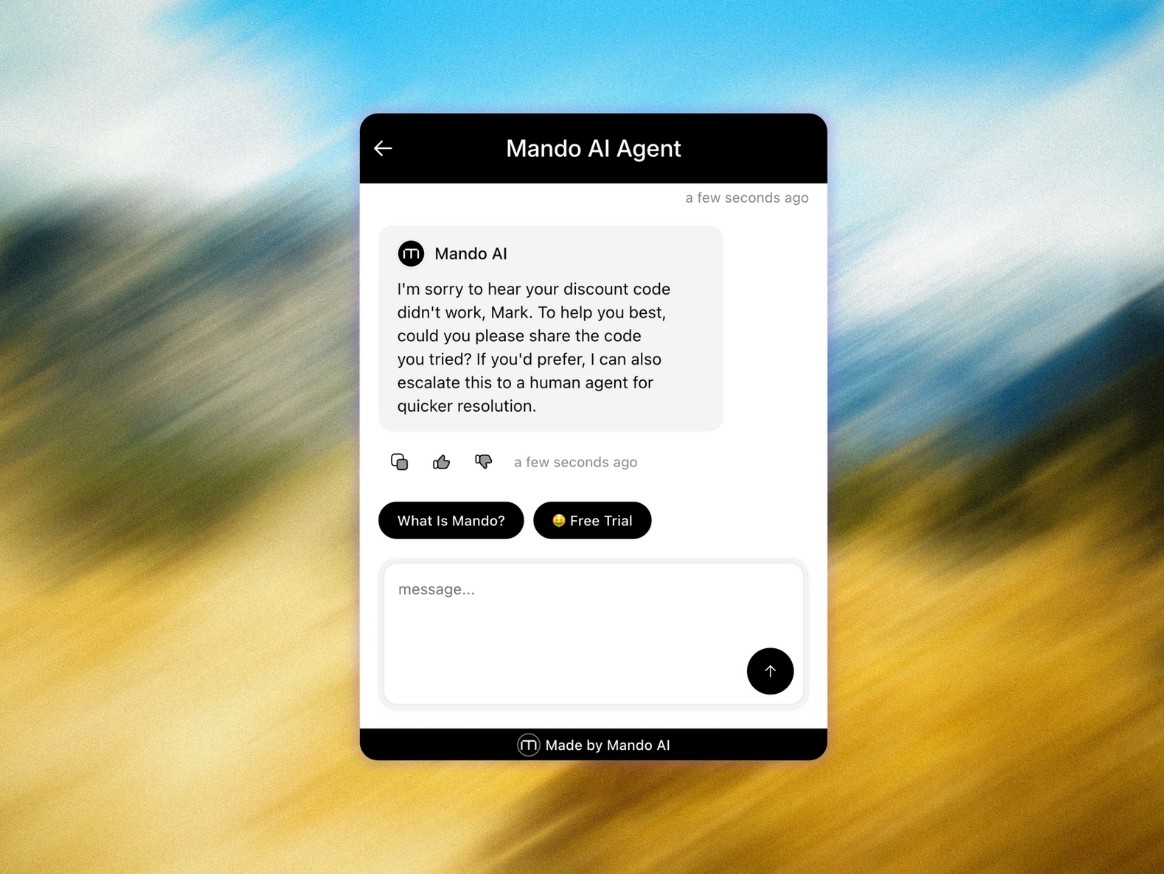
Think of an AI support agent like Mando AI as an “instant support layer” that can answer common, repeatable questions using your existing help centre and support knowledge. It’s not a UX tool. It’s not an analytics tool. It’s simply a way to respond quickly when a user is stuck, whether that’s outside office hours or when queues spike.
This only works well if the knowledge base is current, and the agent is constrained to approved answers.
The important part is what comes next: human escalation.
AI is great for:
“Where do I find X?”
“Does your product integrate with Y?” (when documented)
“What’s included in this plan?” (when clearly defined)
“How do I reset / configure / export?”
Humans are better for:
Complex edge cases
Exceptions and judgement calls
Emotional reassurance when someone is stressed
High-value customers with nuanced needs
If an AI agent can’t escalate smoothly to a human when it should, it becomes a dead end, and dead ends damage trust fast.
Set clear escalation triggers, for example: low confidence, repeated rephrasing, billing and cancellations, account access issues, or any policy exception.
How UX and instant support complete the picture
UX analytics does three jobs
Detects friction (where the journey breaks)
Prioritize (what matters most)
Measures impact (did the fix help?)
Instant support does three different jobs
Explains (answers the “why” behind hesitation, in the user’s own words)
Reassures (reduces perceived risk)
Unblocks (handles edge cases without a redesign sprint)
Together they create a loop: observe, respond, learn, improve. And crucially, you stop guessing.
A practical playbook you can run next week
No theatre. Just work that moves metrics.
Pick one high-intent moment
Pricing, checkout, onboarding, integration setup, plan selection.Pull the top real questions tied to that moment
From chat transcripts, tickets, contact forms, sales notes. Ten questions is enough.
Categorize the questions
Clarity: “How does this work?”
Fit: “Is this for a team like ours?”
Risk: “Billing, privacy, reliability?”
Outcome: “What result should I expect?”
Choose the right fix type
Repeated confusion = improve UX and copy
Situational questions = instant support and better docs
Trust questions = instant answers plus a clear route to a human
Close the loop weekly
One weekly review: “What did users ask that our UX didn’t answer in time?” That’s your backlog, based on reality.
Quick quiz: UX issue or confidence issue?
A user hovers over “Start trial”, scrolls to the security section, then exits. Most likely?
Button placement
They didn’t see the CTA
They have a trust question they couldn’t resolve quickly
The page is too long
It can be more than one, but 3 is the one teams underweight because it’s not a layout problem, it’s a belief problem.
Mini poll for your team
If you asked three people, “What are the top 5 things blocking conversion?”, would you get:
A) The same list from product, UX, and support
B) Three different lists depending on who you ask
C) A redesign proposal before anyone checks transcripts
If it’s B or C, your feedback loop is disconnected. Fix that loop, and the wins come faster than another redesign sprint.
The takeaway
Great UX reduces the need for help. Great support makes sure users still succeed when they need it.
UX analytics shows where users struggle. Instant support, sometimes powered by an AI customer support agent with human escalation, helps you learn why and helps users move forward in the moment. The best teams connect both, so they’re not just polishing interfaces, they’re building confidence all the way through the journey.
- Malaz Madani (Author)